We were sitting at the kitchen table in Hwaseong, trying to figure out whether we qualified for the 아이돌봄 (Ai Dolbom) government childcare service — a program that sends a qualified carer to your home while you and your partner are busy. The discount rate you get depends entirely on your 소득기준 (income bracket), and that bracket is calculated from how much you pay in health insurance. I needed my own payment history. Then I picked up my wife’s phone and found hers. Neither of us had ever pulled this document before. If you are navigating having a baby in Korea or applying for any government support program, this korea health insurance payment confirmation foreigner guide will save you the hours I spent piecing it together from scattered blog posts.
📌 Quick Summary:
Your NHIS payment records are accessible online via the Social Insurance Integration Portal (si4n.nhis.or.kr), the “건강보험25시” mobile app, or Gov24 (gov.kr). The mobile app is the fastest option. Both you and your spouse can check records from the same device — you just need their phone’s PIN or fingerprint for authentication. Records go back up to 5 years. English-language certificates require a branch visit or phone call to 1577-1000.
- → Why You Might Need This Document
- → Understanding Your Insurance Type: 지역 vs 직장
- → Method 1: The NHIS Website (PC)
- → Method 2: 건강보험25시 Mobile App (Fastest)
- → Method 3: Gov24 as a Backup
- → Checking Your Spouse’s Records on Their Phone
- → If You Need an English Certificate
- → NHIS Hwaseong Branch Info
- → FAQ
Why You Might Need This Document
Most expats only think about health insurance when they are enrolling or when they miss a payment. But the 건강보험료 납부확인서 (Geongang boheomnyo napbu hwaginseo) — the official payment confirmation certificate — shows up in a surprising number of situations.
The most common ones in daily expat life in Korea:
- Government subsidy applications — 아이돌봄 서비스, childcare support, low-income household assistance programs (저소득 계층 지원 사업)
- Jeonse loan support — 전세대출 지원 programs use your insurance payments to assess your income bracket
- Year-end tax settlement — regional subscribers can deduct premiums paid
- Visa renewal documents — some immigration offices request proof of active insurance standing
There are more government support programs available to expat families in Korea than most people realize. The catch is that almost all of them require you to prove your income level — and in Korea, your health insurance premium is one of the clearest signals of that.
💡 Pro Tip:
Before applying for any Korean government support program, search the program name plus “소득기준” to find out whether your household income bracket will affect your eligibility or your discount rate. Health insurance payment records are almost always part of that calculation.

Understanding Your Insurance Type: 지역 vs 직장
Before you log in anywhere, it helps to know which type of subscriber you are. It affects which tab you look at once you are inside the portal.
- 지역가입자 (Jiyeok gaipja) — Regional subscriber: You are not currently employed by a Korean company. Freelancers, self-employed people, and those between jobs fall here.
- 직장가입자 (Jikjang gaipja) — Workplace subscriber: You are employed by a Korean company, or — importantly — you are on parental leave from a Korean company. My wife is on parental leave and still classified as 직장가입자.
A mixed household — one regional, one workplace subscriber — is more common than you think. Both records appear on the same page inside the portal, separated by a simple tab. No separate logins required.
Method 1: Check Your NHIS Payment History on PC
This is the route most people start with. It works, but it is not the smoothest experience.
Step 1: Go to the 사회보험통합징수포털 (Sahoe boheom tonghap jingsu poteol) — the Social Insurance Integrated Collection Portal — at nhis.or.kr.
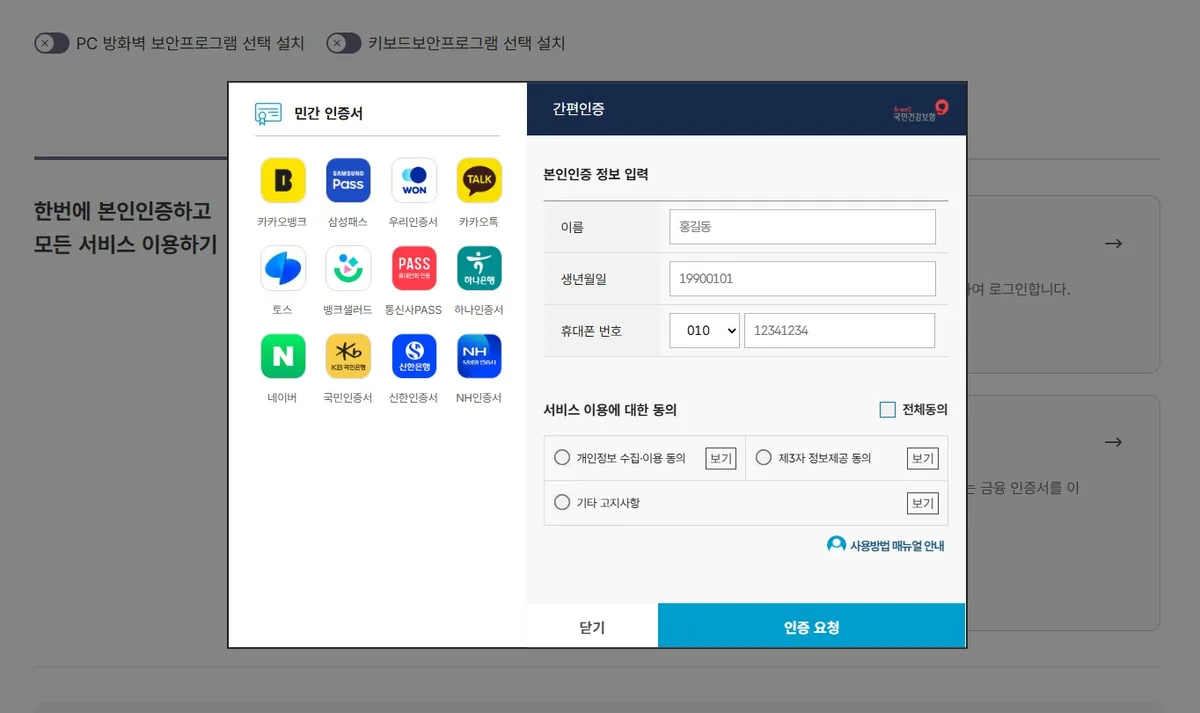
Step 2: Log in. This used to require an old joint certificate (공동인증서) that blocked most foreigners. That has changed. You can now use 간편인증 (Ganpyeon injeung) — Simple Authentication — which means logging in via KakaoTalk, Naver, PASS, or your banking app. No outdated security plugins needed.
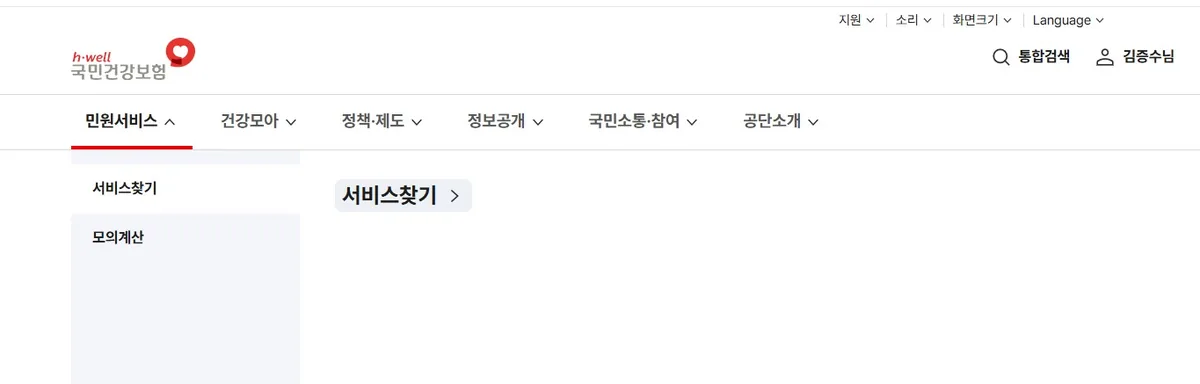
Step 3: Once inside, go to the 민원서비스 (Minwon service) menu at the top navigation bar.
Step 4: Use the service search to find the payment inquiry section. You can filter by subscriber type.
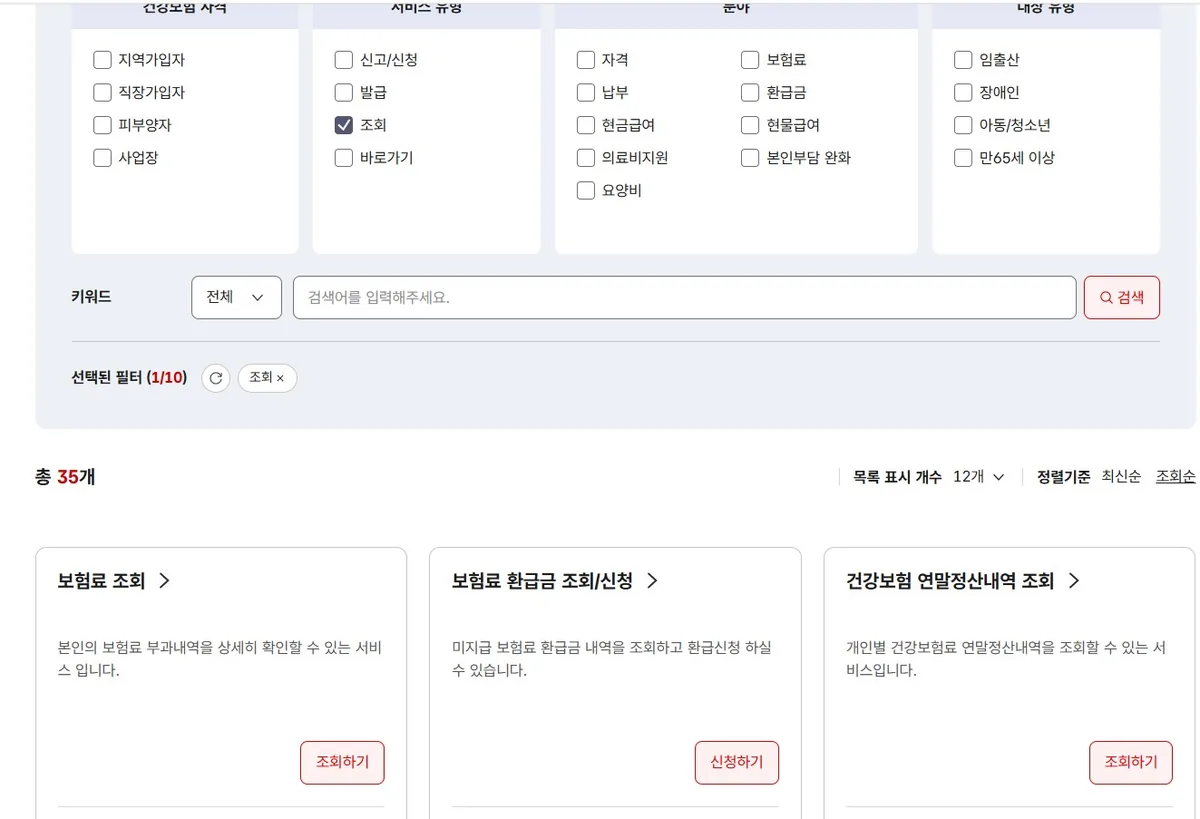
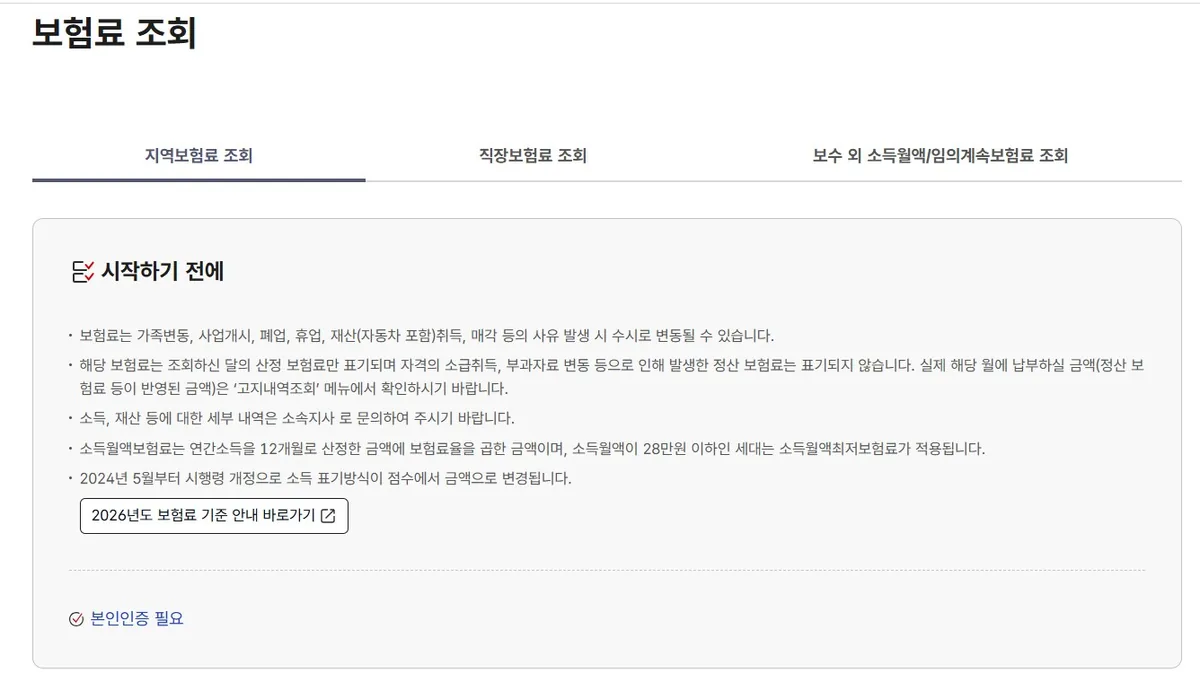
Step 5: Click into the 보험료 조회 page. Select the tab matching your subscriber type — 지역 or 직장.
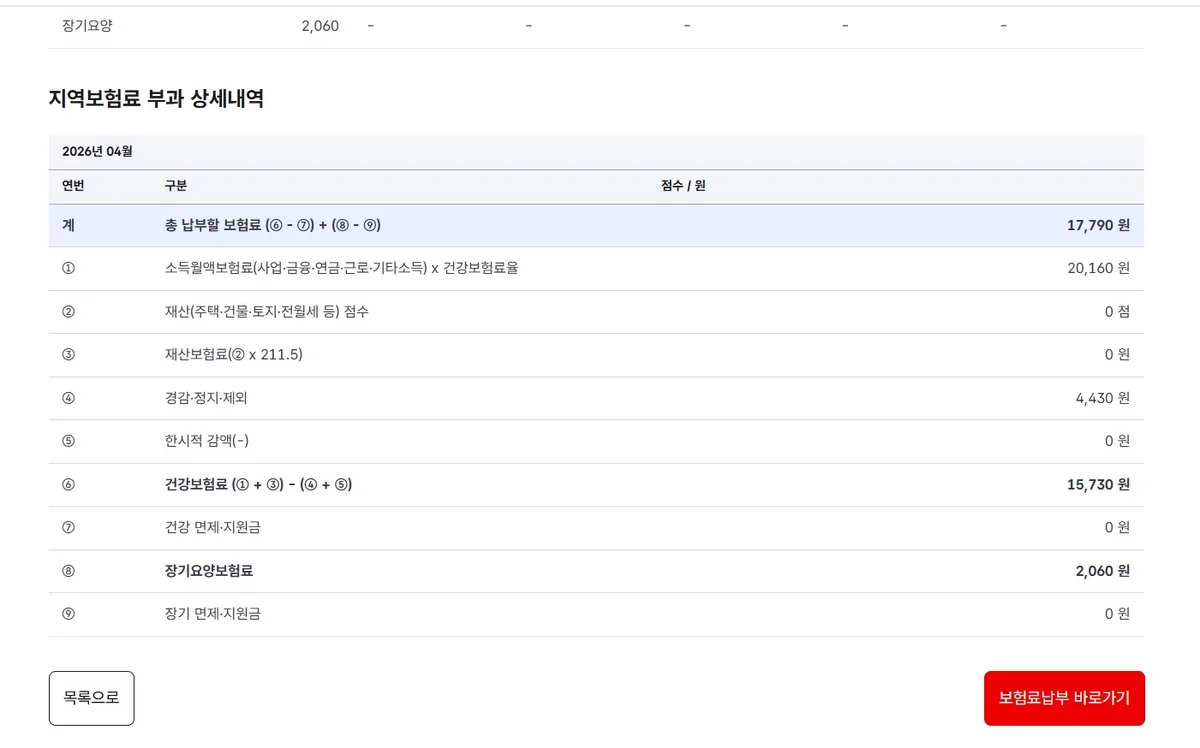
Step 6: Your monthly breakdown appears. You can see your 건강보험료 (health insurance premium) and your 장기요양보험료 (long-term care insurance premium) listed separately, with a total. Records go back up to 5 years according to the NHIS portal.
Step 7: To print the official certificate, look for 납부확인서 발급신청 (Payment confirmation certificate issuance). Set your date range and purpose, then print or save as PDF.
If you’ve just moved to dependent status, you’ll want to confirm your dependent registration is active on the NHIS website before attempting to pull any payment confirmation certificates.
If your employment status has recently changed, it’s worth knowing what happens to your health insurance and pension when you quit a job in Korea — the deadlines move faster than most people expect.
💡 Pro Tip:
The PC website can feel overwhelming — menus shift after site redesigns and the Korean navigation is dense. If you get lost, try the mobile app instead. It gets you to the same information in roughly half the steps.
Method 2: 건강보험25시 App (The Fastest Way to Check NHIS Payments in Korea)
This is what I recommend for most people. Once it is set up, checking your payment history takes under three minutes.
Download the app:
- Android: Search “건강보험25시” on the Google Play Store
- iPhone: Search “건강보험25시” on the App Store
Log in using 간편인증 — your KakaoTalk, PASS, or banking app. No ARC number entry, no certificate files. Just your phone’s authentication.
Once inside, you can access:
- 보험료 납부 내역 — payment history
- 자격득실확인서 발급 — eligibility certificate
- 납부확인서 발급 — payment confirmation certificate
- 검진대상 조회 — health checkup eligibility

For navigating Korean government portals as a foreigner, the learning curve on the app is significantly shorter than the PC website. The same identity verification logic applies here as when you are setting up other government systems — like getting your personal customs clearance code in Korea — once your Korean telecom authentication is working, most government apps open up easily.
Method 3: Gov24 as a Backup
If the NHIS site is giving you trouble, Gov24 (gov.kr) is a solid alternative. It is the Korean government’s integrated service portal and can issue the same 건강보험료 납부확인서.
Steps:
- Go to www.gov.kr
- Log in using 간편인증 — Kakao, Naver, or PASS all work
- Search “건강보험료 납부확인서” in the top search bar
- Select “건강보험료 납부확인서 발급” from the results
- Set your date range and download
Gov24 is useful if you already use it for other admin tasks — address changes, family registration documents, and similar paperwork all live there. Handling multiple government documents in one session saves time.
Checking Your Spouse’s Records on Their Phone
This is the part that most guides skip entirely. In a multicultural household, you often need to pull records for both partners.
Here is how it works practically: you need to authenticate on their device using their identity. You cannot access your spouse’s NHIS records from your own phone without going through their authentication first.
What I did: I picked up my wife’s phone. Her authentication was set to fingerprint, so I brought it to her in the living room for two seconds. If she had set a PIN instead, I could have done the whole thing myself at the desk. Either way — it takes less than a minute.
Once authenticated, the app shows her records under her subscriber type (직장, in her case). Both her monthly premiums and the official certificate are accessible exactly the same way as your own.
💡 Pro Tip:
If your household has one 지역 subscriber and one 직장 subscriber, pull both records before submitting any subsidy application. Income bracket calculations for programs like 아이돌봄 typically assess combined household income — one missing record can stall the whole application.
If You Need an English-Language Certificate
Here is something the NHIS English website does not make clear: you cannot print an English version of the 건강보험료 납부확인서 online. The online portals — the NHIS site, the app, Gov24 — only issue the certificate in Korean.
If you specifically need an English certificate — for example, to submit to a foreign institution — you have two options:
- Call 1577-1000 — the main NHIS customer service line. Request the English certificate by phone. Some branches can send it by fax or email.
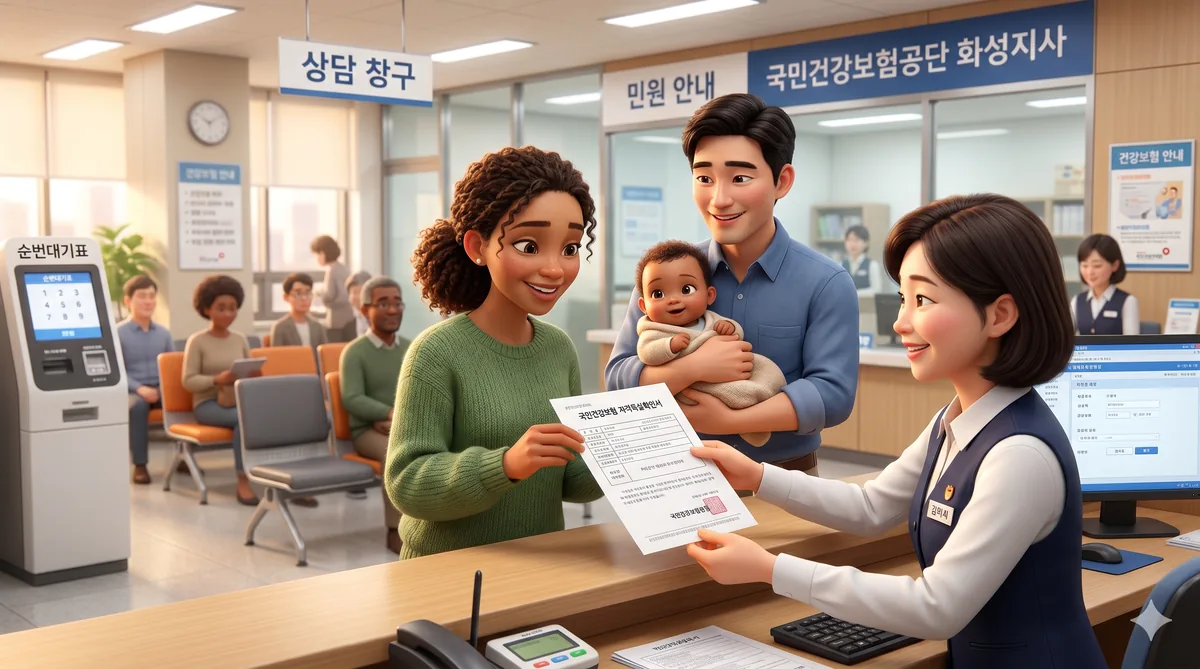
- Visit your local 지사 (Jisa) — branch office in person. Bring your ID. Hwaseong branch details are below.
For most everyday situations in Korea — government subsidies, loan applications, tax settlement — the Korean version is completely sufficient. The English version is a narrow edge case, but worth knowing about if you are ever dealing with a foreign institution.
📍 National Health Insurance Service — Hwaseong Branch
Address: 359 Baran-ro, Hyangnam-eup, Hwaseong-si, Gyeonggi-do
❓ Frequently Asked Questions
Can foreigners in Korea check their health insurance payment history online?
Yes. Foreigners with an Alien Registration Card (ARC) can log in to the NHIS portal (si4n.nhis.or.kr), the “건강보험25시” mobile app, or Gov24 (gov.kr) using Simple Authentication (간편인증) via KakaoTalk, PASS, or Naver. You no longer need an old joint certificate (공동인증서) that previously blocked many expats.
What is the 건강보험료 납부확인서 and when do I need it?
The 건강보험료 납부확인서 is the official Korea health insurance payment confirmation certificate. You need it when applying for government subsidy programs like 아이돌봄 서비스, jeonse loan support, low-income household assistance, or year-end tax settlement. Many Korean support programs use your premium payments to determine your income bracket and discount rate.
How far back can I check my NHIS payment history in Korea?
The online portals and mobile app allow you to view payment records going back up to 5 years. For records older than 5 years, you need to contact the NHIS customer service line (1577-1000) or visit your nearest branch office in person.
What is the difference between 지역가입자 and 직장가입자 health insurance in Korea?
지역가입자 (regional subscriber) covers people not employed by a Korean company — including freelancers, self-employed individuals, and those between jobs. 직장가입자 (workplace subscriber) covers employees of Korean companies, including those currently on parental leave. In a multicultural household, both partners may be on different plans, and both records are accessible from the same portal page under separate tabs.
Can I get an English version of the health insurance payment certificate in Korea?
Not online. The NHIS portal, the mobile app, and Gov24 only issue the certificate in Korean. If you need an English version, you must call 1577-1000 or visit your local NHIS branch office in person with your ID. For most Korean government applications, the Korean certificate is entirely sufficient.
Stuck on a Korean Government Form You Can’t Read?
Navigating Korean subsidy applications, document requests, and portal logins is hard enough in your own language. JustAskJin can help you prep the right documents, figure out which program you qualify for, and handle the parts that require Korean.
Get Help from JustAskJin