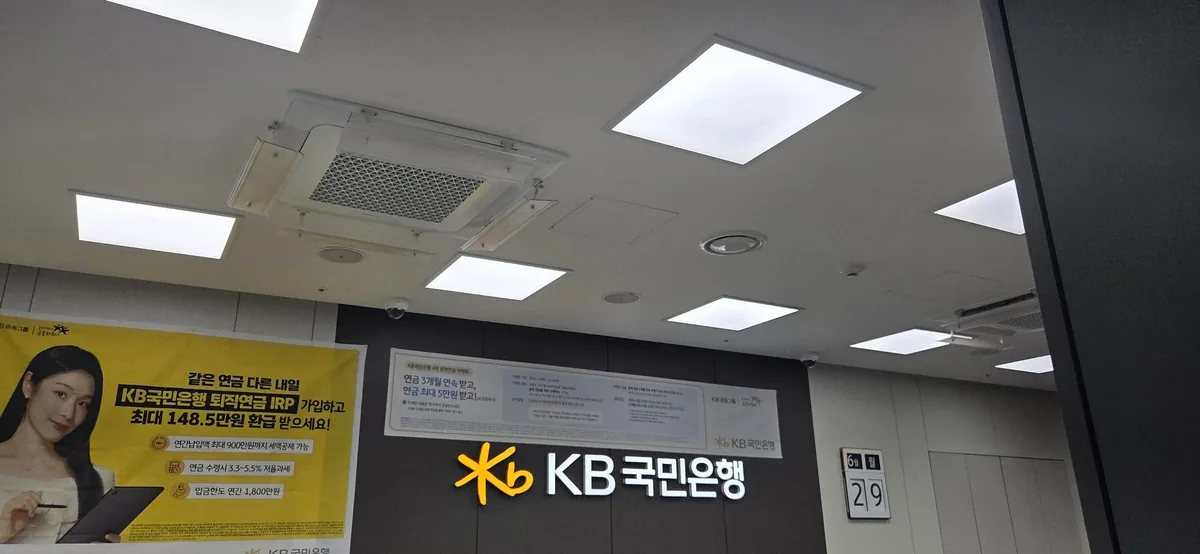
My daughter was balanced on my knee, blinking at the fluorescent lights, while I slid a folder of mortgage documents across the counter. We were at a KB Kookmin Bank branch to sort out the interim loan payment for our apartment purchase — not to open a children’s account. But the cash gifts from family had been sitting in an envelope for months without anywhere to go, and I figured: I’m already here. I have the documents. Why not?
Ten minutes later, my daughter had her first bank account. And I walked out wondering why I’d been putting it off at all. If you’re an expat parent searching for a guide to KB Kookmin Bank child account online foreigner options, you’ve probably hit the same wall I did — plenty of Korean-language forums, not much in English. This post covers both paths: the mobile app route (which, honestly, I’d recommend first) and the in-person experience I ended up going through by accident. For everything else you’ll need to sort out for your child settling into life in Korea, our post on navigating other essential documents for your child is a good companion read.
📌 Quick Summary:
You can open a KB Kookmin Bank account for your child either through the KB Star Banking app (under 10 minutes, no branch visit required) or in person (10–15 minutes with the right documents). The documents are the only real hurdle — once you have those ready, the process is straightforward. The stamp (도장, do-jang — personal name seal) that’s often listed as a requirement is not needed to open the account; it only comes up if you want to collect a physical bank book later, which most parents won’t bother with.
Why Bother Opening a Child’s Account at All?
The practical reason is simple: family sends cash gifts, and cash gifts need somewhere to live. In my case, the money had been sitting loose for months — not lost, just untracked. But the reason I actually care about this account isn’t just tidiness. I want my daughter to grow up knowing where her allowance comes from and when. A bank account creates a record. One day, she’ll be able to look back and see that a certain amount arrived at a certain time from someone who loved her. That’s worth more than the interest rate.
According to the KB Kookmin Bank official site, legal guardians can open a minor child’s deposit and withdrawal account simultaneously with internet banking enrollment — meaning you set up the full digital banking profile in a single session. The child doesn’t need to be present for the app route. No branch visit. No waiting.

What Documents Do You Actually Need?
This is where most people get tangled — not in the process, but in the preparation. The documents themselves are the gatekeeper. Get them right and everything else moves quickly.
Sorting Out Your Child’s Life in Korea?
From bank accounts to birth documents, the admin side of raising a child in Korea as an expat can feel overwhelming — especially when everything is in Korean. Jin has been through it and can help you figure out the next step.
For the mobile app route, you need three things:

Mobile App — What to Prepare
- Parent’s ID (either parent works — mother or father)
- KB Star Banking app installed and your own KB account already active
- One account number for verification purposes (your KB account or any other Korean bank account)
That’s it. The app handles document submission automatically using your digital certificate — no manual uploads of family certificates or birth records required on your end. This is a genuine time-saver that I didn’t fully appreciate until I compared it to what I’d brought to the branch.
For the in-person route, the list is longer:
In-Person Branch — What to Bring
- Your ID (parent or legal guardian)
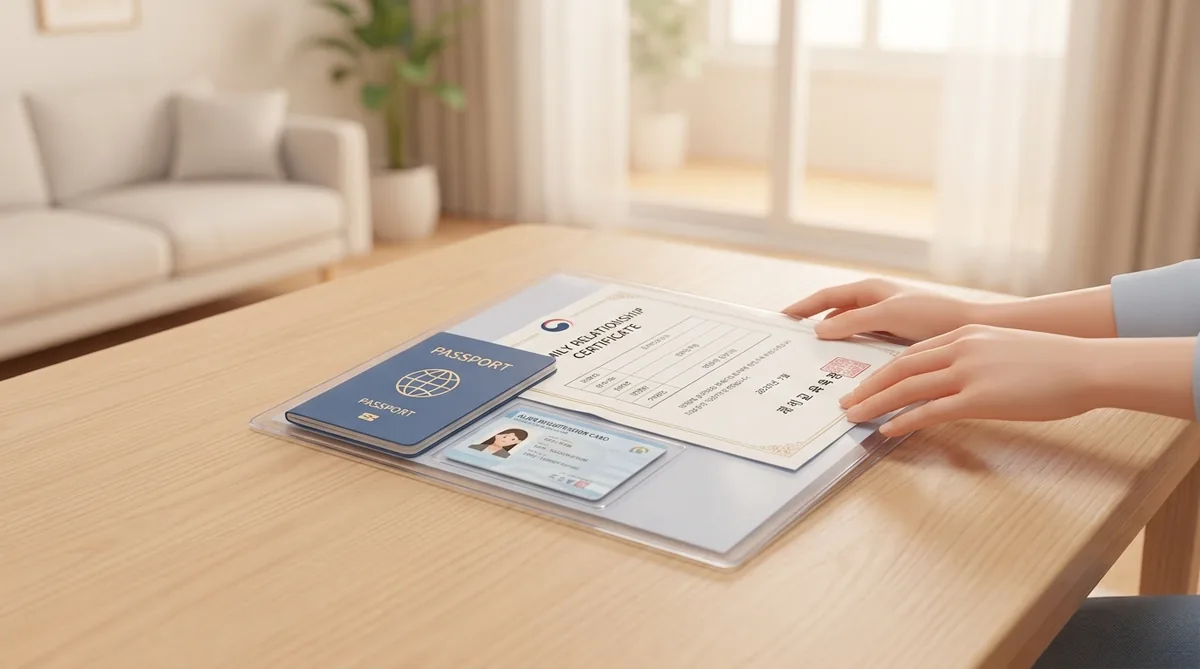
- 가족관계증명서 (ga-jok gwan-gye jeung-myeong-seo) — Family Relationship Certificate
- 기본증명서 (gi-bon jeung-myeong-seo) — Basic Certificate, issued in the child’s name
- Child’s name stamp (도장, do-jang) — optional in practice; needed only for the physical bank book
I ordered the 가족관계증명서 and 기본증명서 through Gov24 (gov.kr) the same morning, bundled with my mortgage paperwork. Total time: about 30 minutes. The site is partly navigable in English, and the documents print or download immediately.
⚠️ The Stamp Situation — Don’t Let It Stop You
Many foreigners assume they need a 도장 (do-jang — personal name seal) to open any Korean bank account for a minor. You do not need it to open the account. The teller at my branch asked for it, I said I didn’t have one, and we moved on. The stamp only becomes relevant if you want to collect a physical bank book later — which, as I’ll explain below, most people won’t need.
⚠️ If Neither Parent Is Korean, Read This First
My document path worked cleanly because I am a Korean national — my daughter is recorded in my Korean family register, so her 가족관계증명서 (ga-jok gwan-gye jeung-myeong-seo — Family Relationship Certificate) and 기본증명서 (gi-bon jeung-myeong-seo — Basic Certificate) exist and print from Gov24 in minutes. If both parents are foreign nationals, those documents do not exist for your child — there is no Korean family register to pull them from, so gathering them is not the task. Two things follow. First, the non-face-to-face (app) route is not open to foreign minors, so plan on visiting a branch in person. Second, in place of the family-registry papers, bring your child’s 외국인등록증 (oe-guk-in deung-nok-jeung — Alien Registration Card), both parents’ ARCs or IDs, and proof of your relationship to the child (a foreign birth certificate, which the branch may ask to have translated). Requirements vary by branch and by staff, so call ahead and confirm what they need for a foreign-national minor before you go. If one parent is Korean, the in-person route above still works — just apply as the Korean parent, since the certificate has to be issued in the applying parent’s name, not the spouse’s.
Opening the Account via the KB Star Banking App
If I were doing this today without an existing branch appointment as an excuse, I’d use the app. Research into Korean parent communities confirmed that many expat parents have gone this route successfully — the process is well-documented even if most of that documentation is in Korean. Here’s how it flows.
- Open the KB Star Banking app and log in with your own (parent’s) account credentials. You need to already be a KB Kookmin customer — if you’re not, open your own account first.
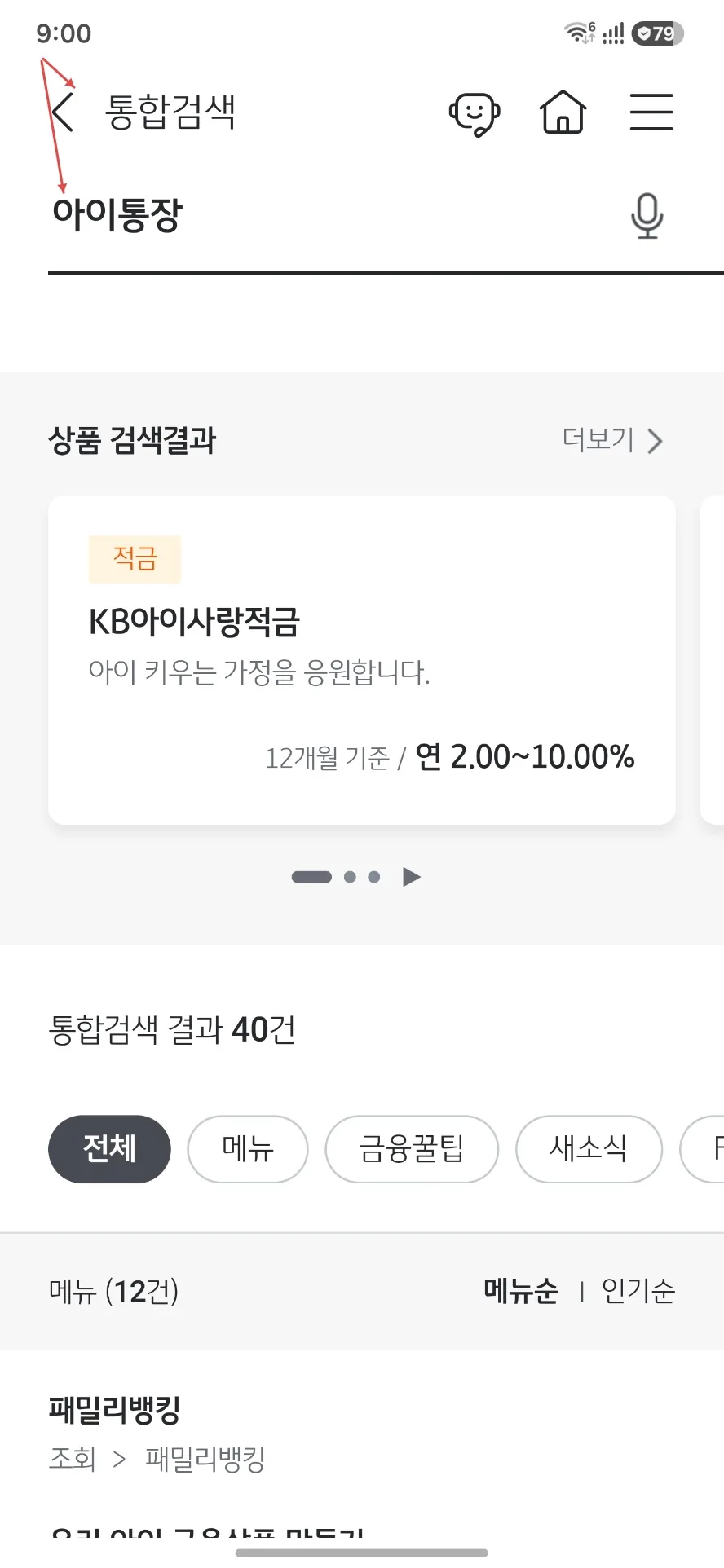
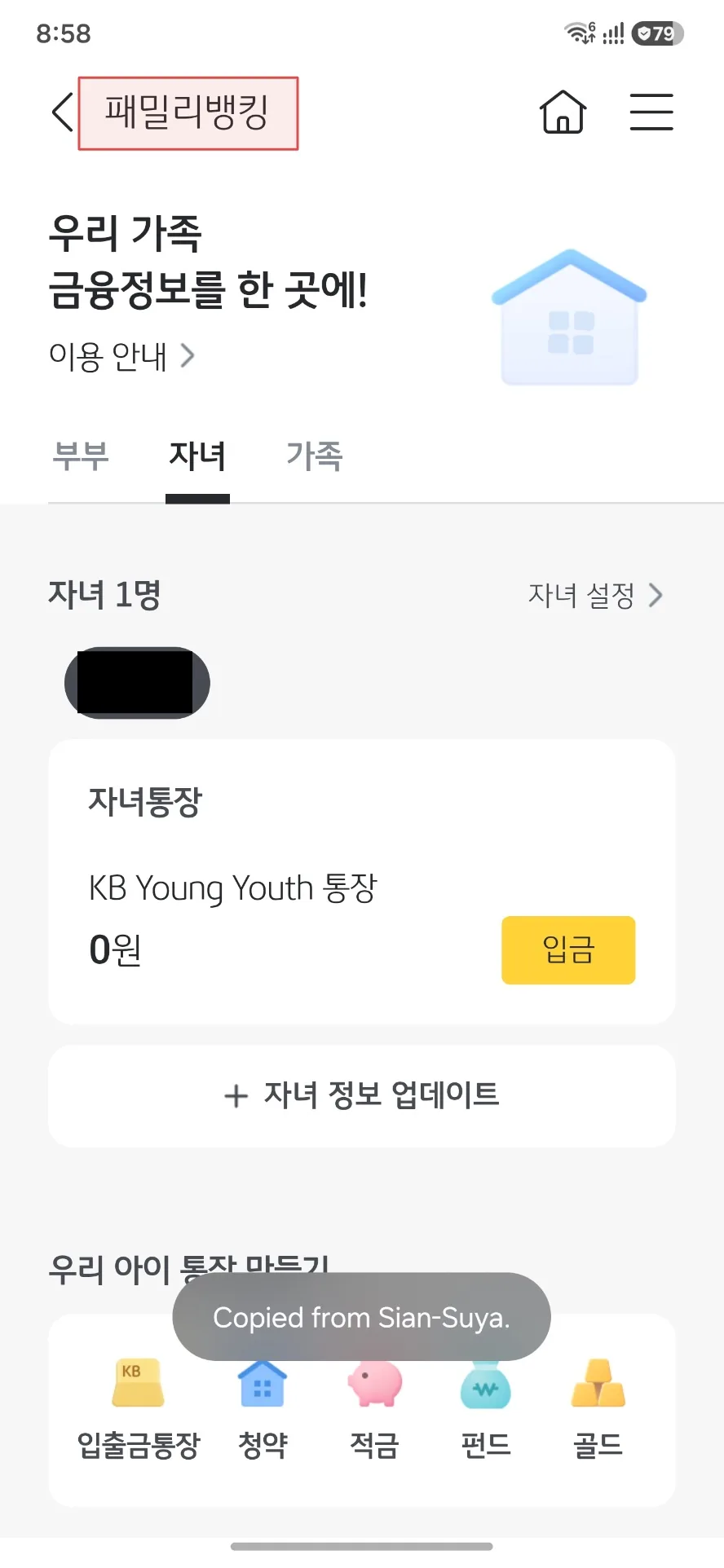
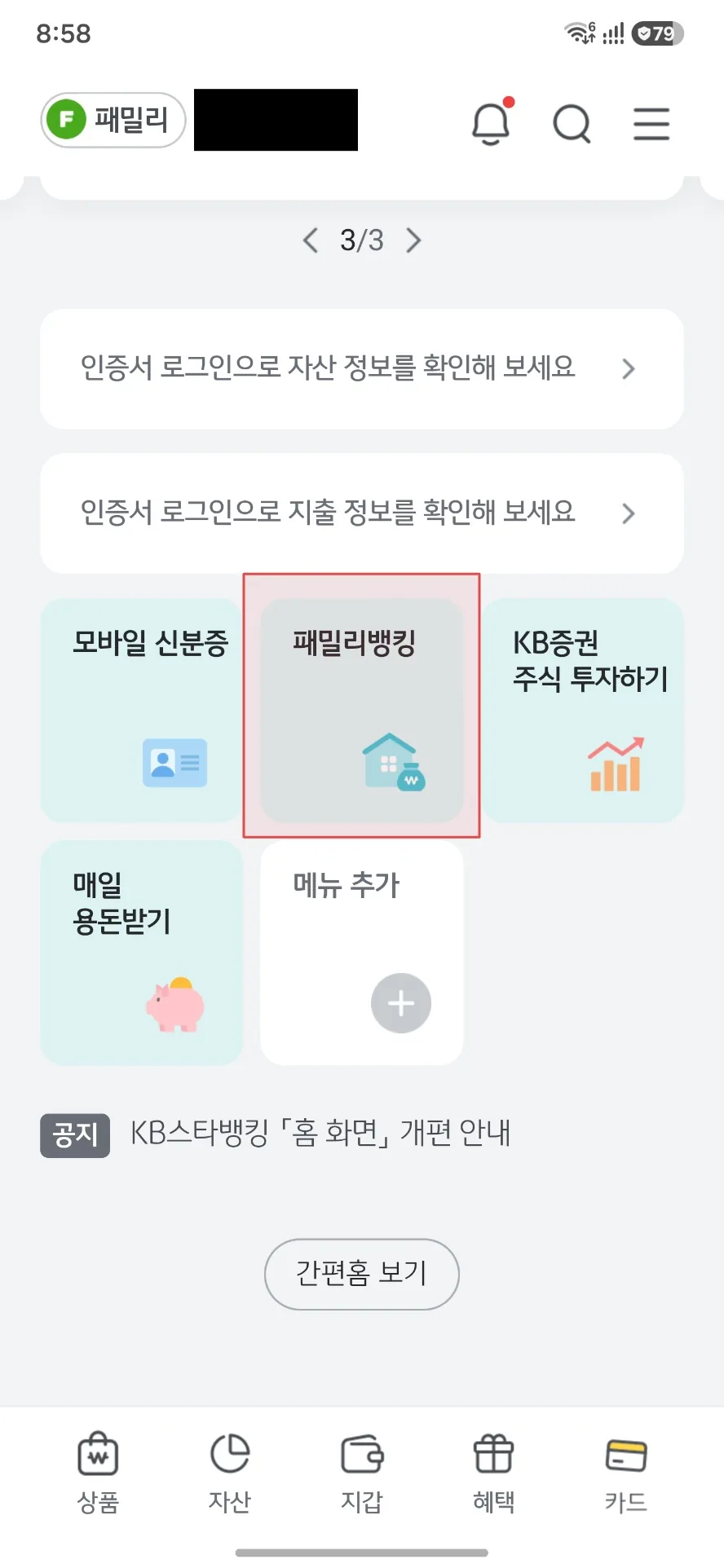
- Navigate to the child’s finance section. Look for the minor account or children’s banking menu. The app periodically updates its layout, but the path generally runs through a children’s banking feature or event participation section.
- Enter the child’s information and agree to the terms and conditions. There are several consent screens — read them, but don’t be surprised by the volume. This is standard for Korean banking apps.
- Photograph your parent ID when prompted. Make sure the image is clear and well-lit — blurry photos are the most common cause of friction at this step.
- Allow automatic certificate submission. This is where the app earns its convenience: your digital certificate is used to pull and submit the required family documents automatically. No manual uploads.
- Provide an account number for verification — either your KB account or another Korean bank account. This confirms your identity as the account holder.
- Complete the enrollment and note the child’s new account number. From here, you can manage the account from within your own KB Star Banking login using a minor account toggle.
The whole process takes under 10 minutes for one child. That’s faster than finding parking near a branch.

What Actually Happened at the Branch
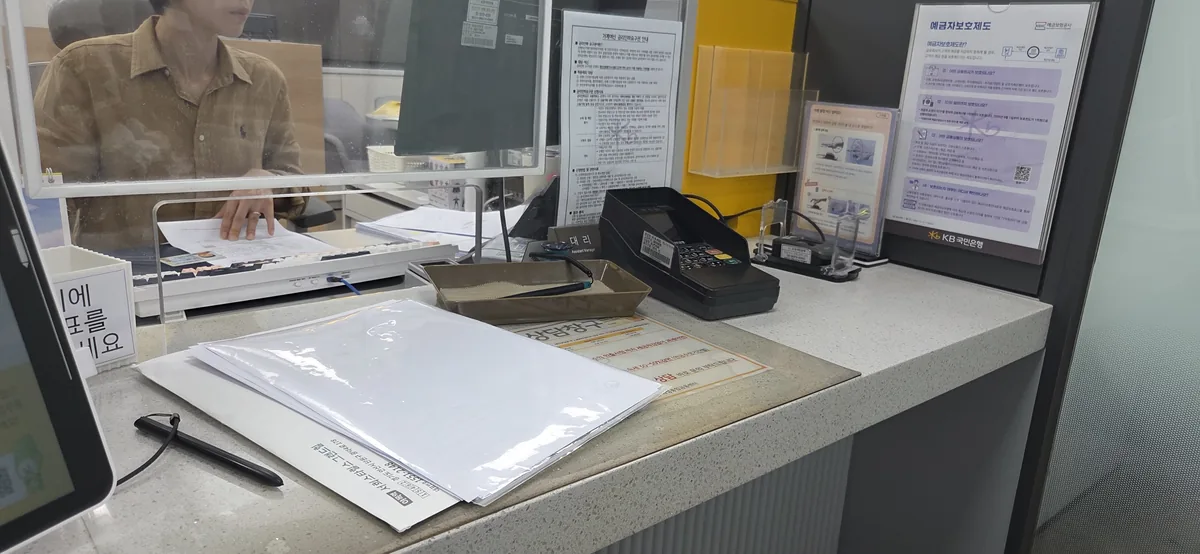
My in-person experience was, in retrospect, the less efficient path — but it worked perfectly. I walked in already holding the documents I needed for my mortgage, realized mid-visit that the child’s certificates were also in the folder, and decided to add one more item to the morning’s agenda.
The teller was patient, warm, and smiled at my daughter throughout. When she asked for the 도장, I explained I didn’t have one. No drama. She noted we could come back for the physical bank book if we ever needed it. I said we wouldn’t, and she nodded like that was the obvious answer. “Who carries bank books anymore?” I thought, but didn’t say out loud.
Start to finish: 10–15 minutes. The account was open, internet banking was enrolled simultaneously, and we were done before my daughter’s patience ran out.

Foreigner-Specific Friction Points to Know
The process is genuinely accessible for expat parents, but a few things catch people off guard. Here’s what to know before you start.
Your name has to match across every system. For the app route especially, the name registered at KB must match your Alien Registration Card and your Korean mobile carrier exactly — same spelling, same spacing. Long romanised names get entered inconsistently all the time, and a single mismatch will stop the app before it starts. If yours do not line up, fix it at your carrier or a KB branch first.
The app assumes you’re already a KB customer. If you don’t have your own KB Kookmin account, you’ll need to open one first. This is a prerequisite, not an afterthought — factor in the time if you haven’t done it yet.
Document sourcing is the real work. For the in-person route, expat parents sometimes assume the 가족관계증명서 requires a trip to a government office. It doesn’t. Gov24 handles it online in under an hour, and the documents are accepted immediately. The misconception that this is a full bureaucratic ordeal is what puts people off — the reality is much more manageable.
The physical bank book is mostly irrelevant. It shows up on document lists as if it’s essential. It isn’t. The app and internet banking give you full visibility into the account — balances, transaction history, everything. Skipping the bank book isn’t a compromise; it’s the modern default.
Digital certificate issuance has an age gate. A KB Kookmin Certificate that doesn’t require a separate security medium can only be issued from age 14. For accounts opened on behalf of younger children (which is almost everyone reading this), the parent manages everything through their own login. This isn’t a barrier — just something to understand so it doesn’t confuse you mid-setup.
If navigating multiple Korean institutional systems at once feels like a lot, it helps to have already sorted the groundwork — our guide to preparing for other key decisions about your child’s future in Korea covers the daycare registration process, which many families tackle around the same time.

Benefits: What the Account Gives You
Beyond the core savings and withdrawal functionality, KB Kookmin has historically offered promotional benefits for new child accounts — financial coupons and vouchers tied to account opening events. These promotions ran until August 2025, and as of mid-2026 those specific offers are no longer active. Check the KB Kookmin Bank website directly for whatever current promotions are running when you apply — the structure of their children’s account benefits tends to cycle.
The lasting benefits are the ones that don’t expire. Having a dedicated account for your child creates a transaction history from day one — a financial footprint that can matter later for things like student accounts, scholarship applications, or simply showing a child where their money comes from. That long view is the real return on the fifteen minutes it takes to set this up.

💡 Pro Tip:
If you’re setting up the account via the app and want to move faster, have your verification account number copied to your clipboard before you start. The app will ask for it mid-flow, and fumbling between screens adds unnecessary time to what should be a clean ten-minute session.
App or Branch — Which Should You Choose?
My honest answer: the app, unless you’re already at the branch for another reason (as I was). The mobile route skips the document gathering, the travel, and the waiting, and it handles certificate submission automatically. I ended up at the branch by coincidence — the mortgage appointment was already in the diary, and the child’s documents happened to be in the same folder. That’s not a situation most people will find themselves in.
Either way, the process looks more intimidating on paper than it is in practice. Prepare your documents, know which route you’re taking, and go. The account itself opens in minutes. The harder part is convincing yourself it won’t be a nightmare — and it won’t be.
If you’d like help navigating any step of this process — from document sourcing to understanding what the app is asking you — Just Ask Jin is there for exactly these questions. It’s built for the moments when the Korean interface doesn’t quite translate and you need a plain-English answer fast.
Frequently Asked Questions
Can expat parents open a KB Kookmin Bank child account without visiting a branch?
Yes. The KB Star Banking app allows legal guardians to open a minor child’s deposit and withdrawal account and enroll in internet banking in a single session — no branch visit required. You need your own active KB Kookmin account, your parent ID, and a Korean bank account number for verification. The app uses your digital certificate to submit family documents automatically.
What documents do foreigners need to open a KB Kookmin Bank child account in Korea?
For the mobile app route, you need your parent’s ID and a Korean bank account number for verification — that’s it. For the in-person route, you additionally need a 가족관계증명서 (Family Relationship Certificate) and a 기본증명서 (Basic Certificate) issued in the child’s name. Both documents can be obtained quickly through Gov24 (gov.kr), often within 30 minutes. These family-registry documents only exist if a parent is a Korean national. If both parents are foreign, your child won’t have them, and you’ll need to open the account in person using the child’s Alien Registration Card plus proof of your relationship to the child, so call the branch ahead to confirm what they require.
Do I need my child’s name stamp (도장) to open the account?
No. The 도장 (do-jang — personal name seal) is not required to open a KB Kookmin Bank child account. It only becomes relevant if you want to collect a physical bank book later, which most parents using the app or internet banking won’t need. Don’t let the absence of a stamp delay you from opening the account.
How long does it take to open a KB Kookmin Bank child account via the app?
The KB Star Banking app process for opening one child’s account takes under 10 minutes for most parents. The in-person branch route takes 10–15 minutes with the correct documents in hand. Document preparation via Gov24 adds roughly 30 minutes if you haven’t already obtained the certificates.
Can my child log into their own KB Kookmin account independently?
Not until age 14. A KB Kookmin Certificate that doesn’t require a separate security medium can only be issued from age 14, so for younger children the parent manages the account through their own KB Star Banking login using a minor account toggle. This isn’t a limitation in practice — parents retain full visibility of balances and transaction history at all times.